
You build the perfect routine. You still don't stick to it.
Horarium is a routine app with alarms built in: set one start time, turn on alarms for the tasks that matter, and it rings exactly when each one is due.
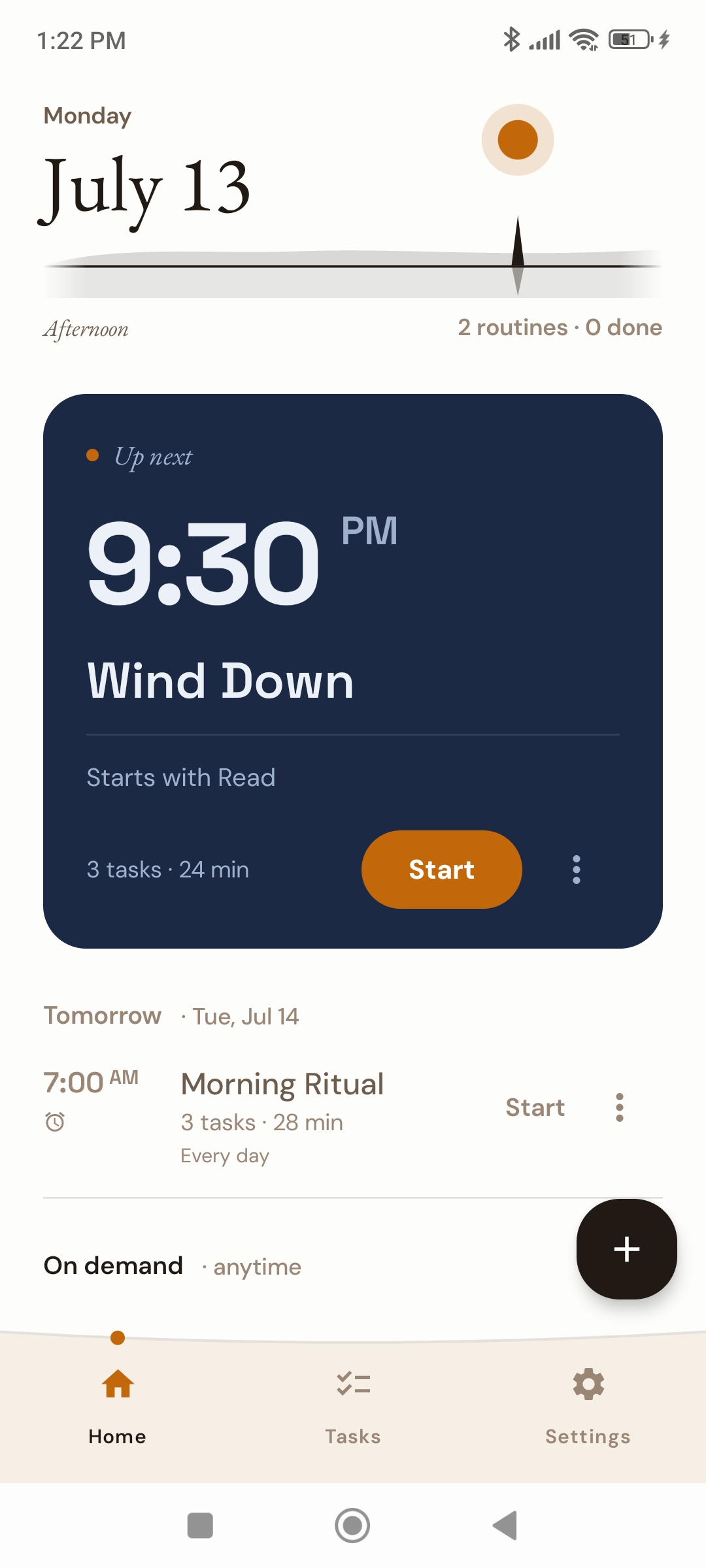
The most complete routine app with alarms
In Horarium, alarms live inside the routine itself: one to start it, and one on each task you decide needs a hard interrupt. No more losing the moment to a notification you swiped away without reading.
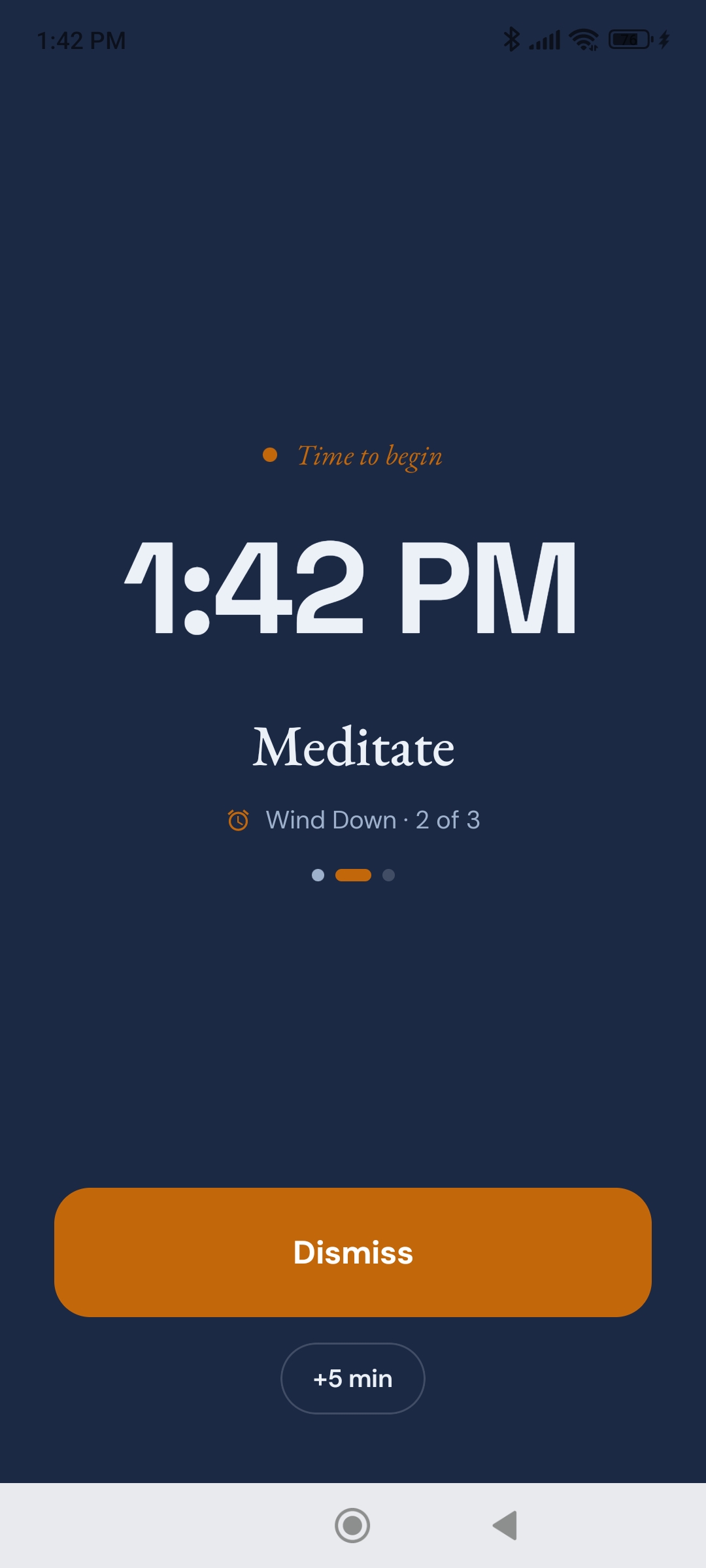
Built for AuDHD
Other routine apps label themselves ADHD friendly and help you outline your day. In practice, you are one notification swipe away from not starting the routine you carefully assembled.
People with AuDHD (autism and ADHD together) face a problem those apps don't solve: planning a routine is not the hard part, sticking to it is. You have to know what's next, and know when to stop what you're doing now.
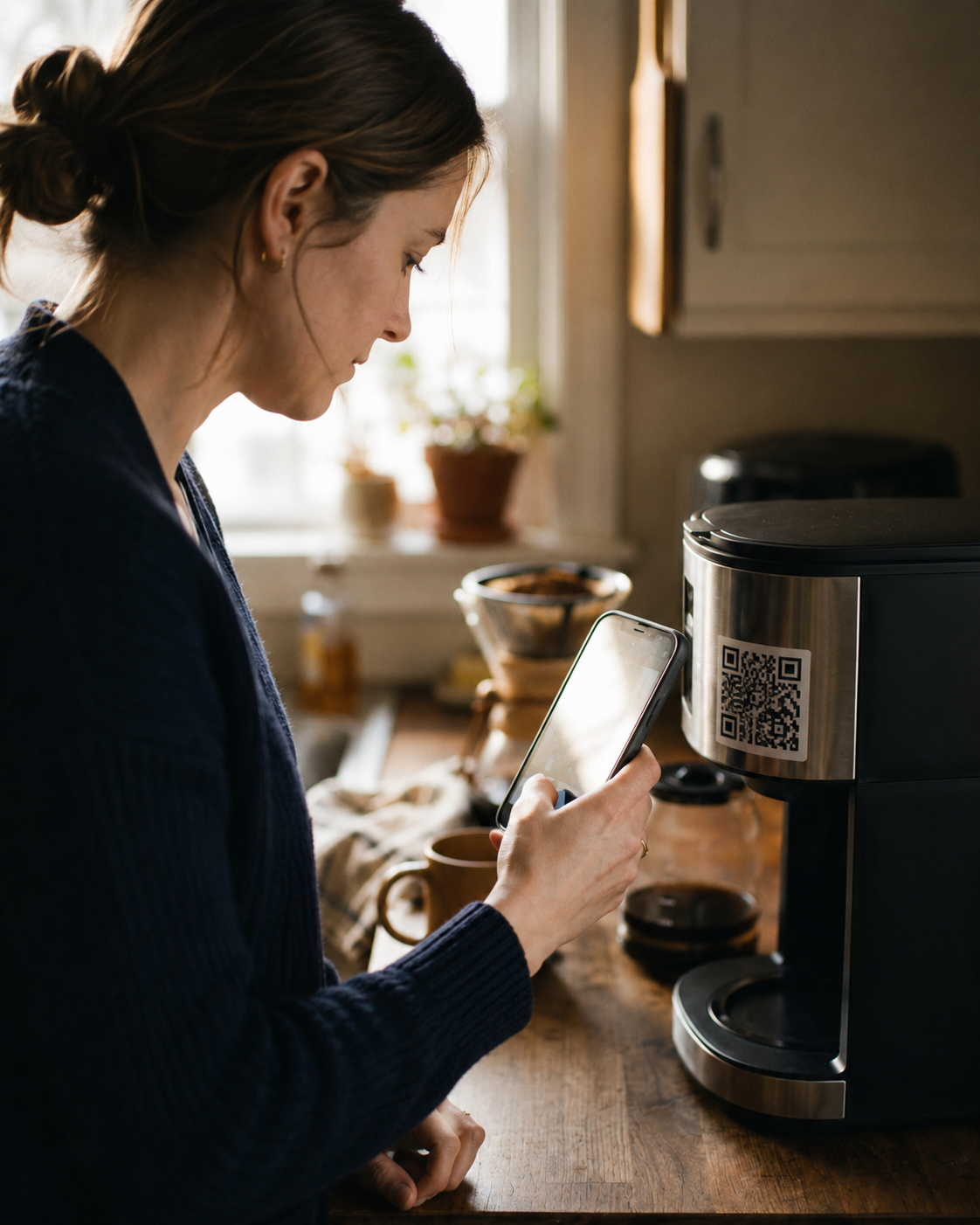
Horarium handles both: one start time sets the whole day's rhythm, and when a task needs a hard stop, an alarm rings until you scan the code you stuck where that task happens, not from bed.
Set one start time. The rest schedules itself.
-
1
Create tasks
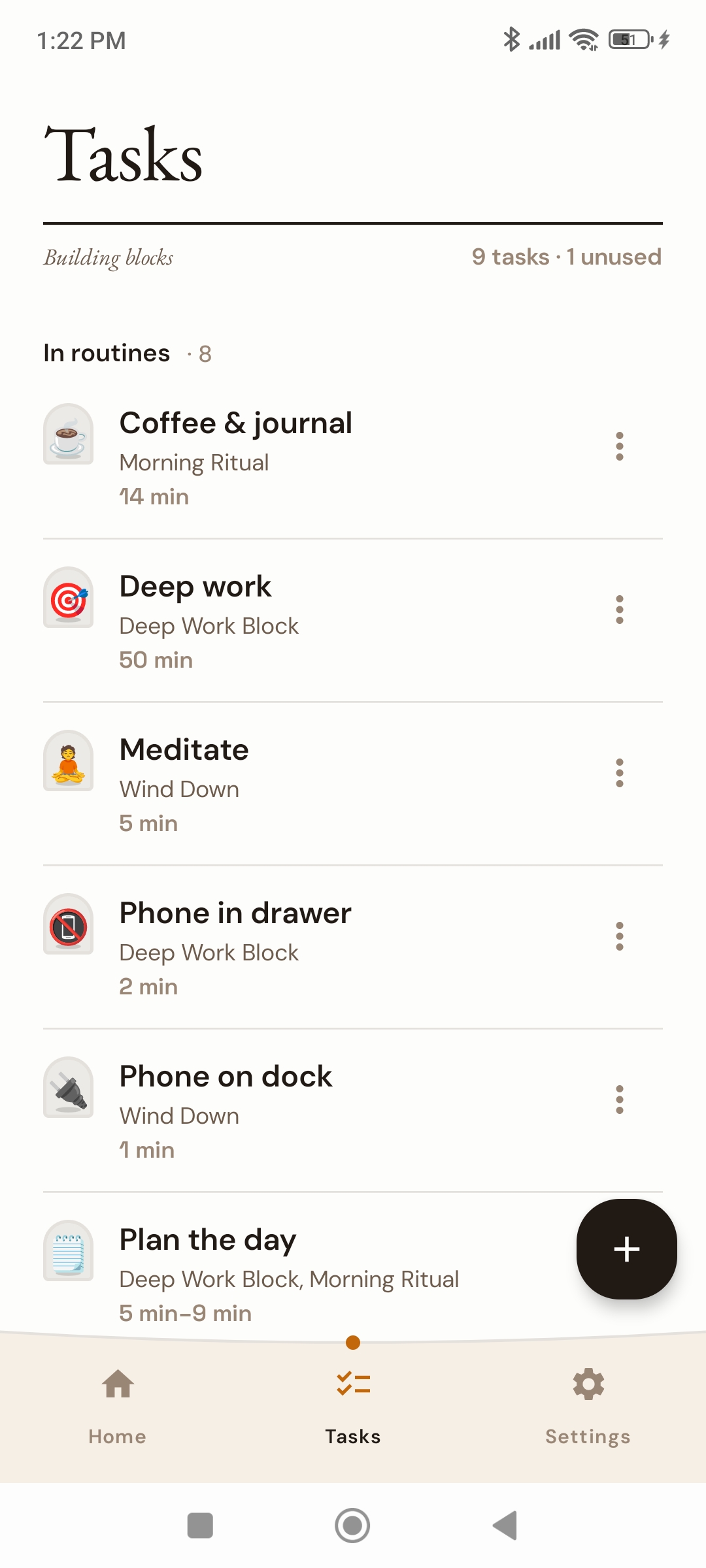
Add the tasks you repeat often, like stretch, coffee, or read. Reuse the same task across as many routines as you like.
-
2
Build a routine
Add your tasks to a routine and set their durations. Pick the one start time you want the routine to begin.
-
3
Set up alarms
Turn on alarms for the tasks that matter. Think of them as checkpoints for changing context. Horarium handles the timing.
-
4
Go through the routine
As you advance through your tasks, the alarms you set ring to keep you on track, one task at a time.
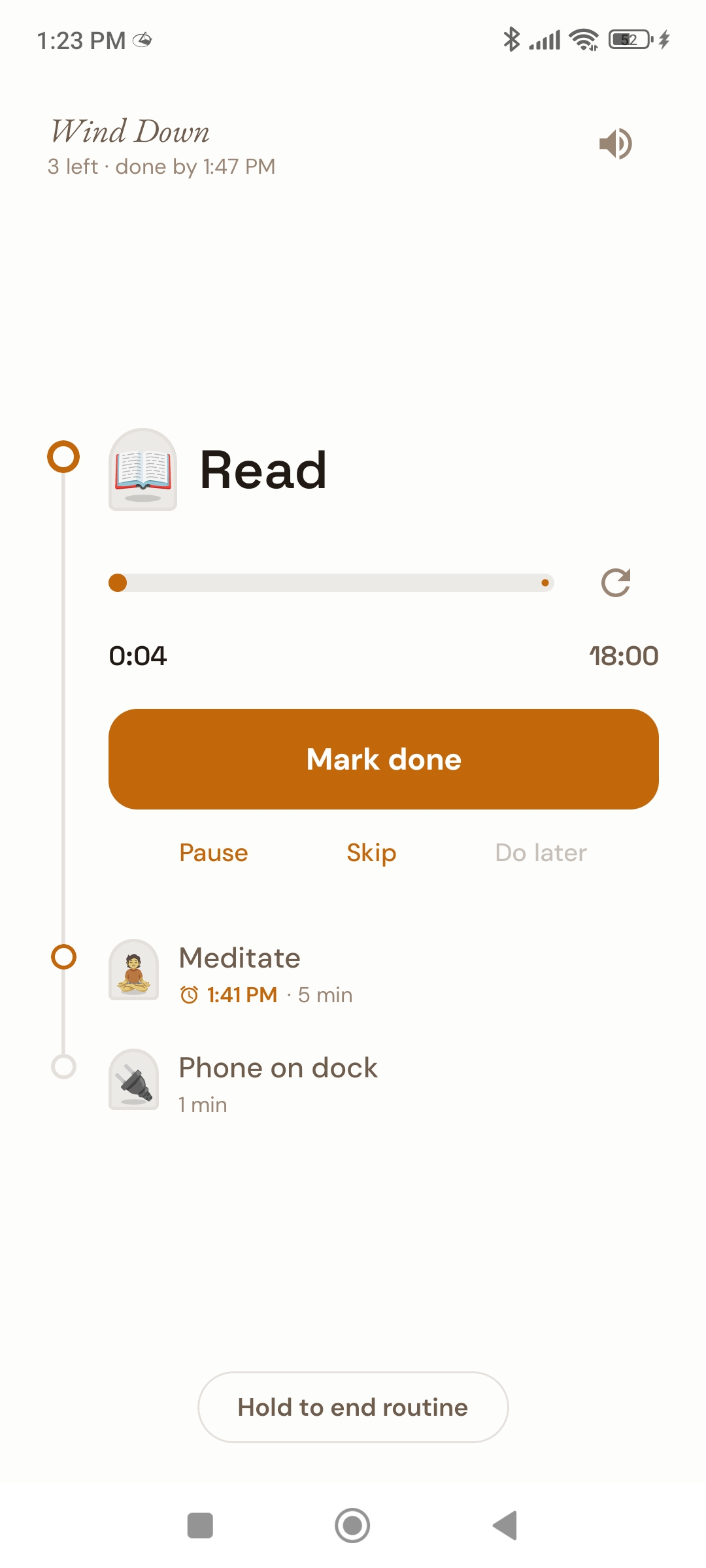
Calm to look at. Hard to ignore.
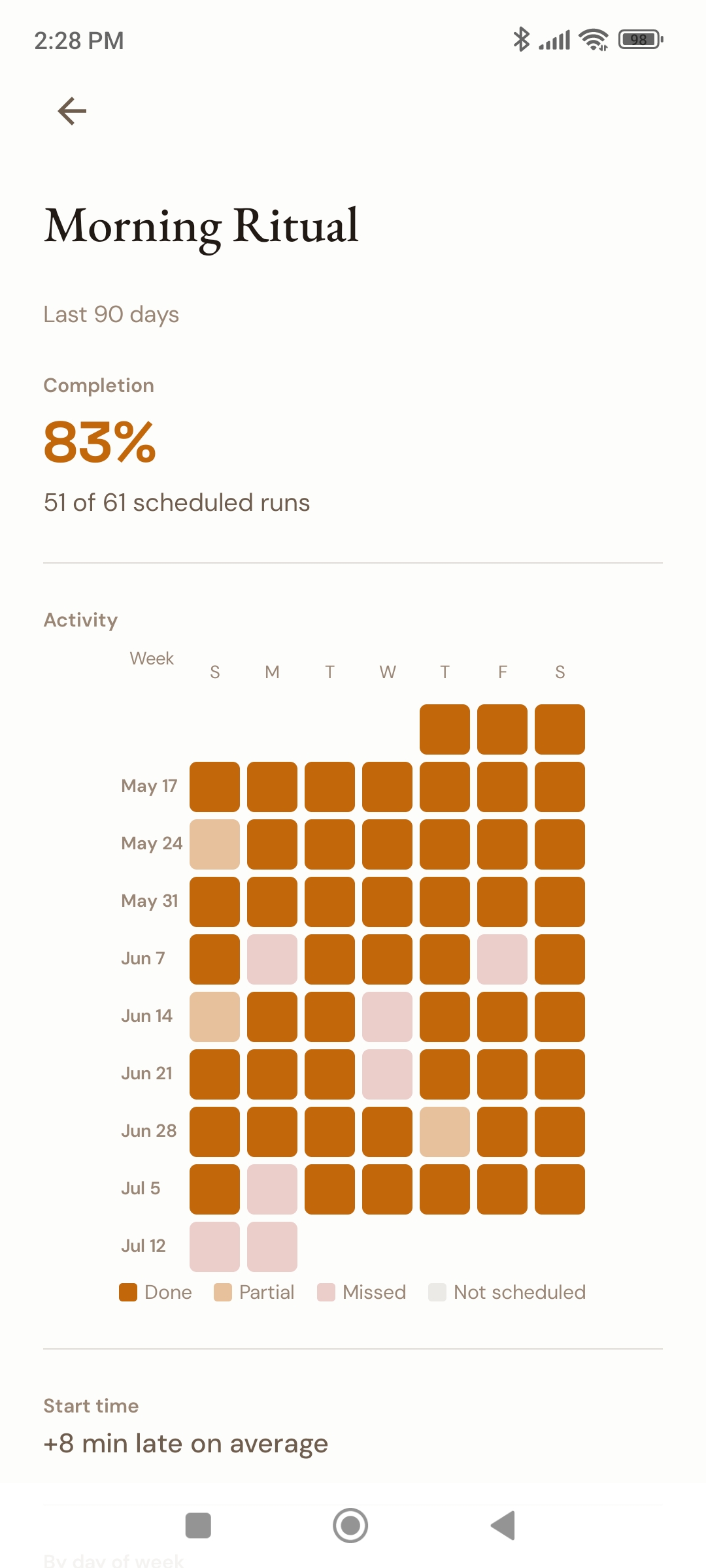
Every screen is built to make the next step obvious, and make quitting cost something. Here's what a finished routine looks like.
Our features
Routines for the whole day
Mornings, workouts, bedtime: create a routine for each part of your day.
One time to start
Pick the single time your routine begins. Every task after it gets scheduled around that.
Snoozes
Things happen. Set up snoozes without losing your place in the routine.
QR-code dismiss Pro
No shortcuts from bed. The alarm keeps ringing until you scan the code you printed and stuck where the task happens.
Lock-out mode Pro
Once a routine starts, it locks: no editing, and quitting early takes a passphrase. The version of you mid-routine doesn't get to talk you out of it.
Premium features
Alarms with gradual volume, analytics, and more customization options.
Give your routine something to hold onto.